Welcome to Epitome’s Workforce Solution!
Welcome and thank you for joining us! Your journey towards exploring your career opportunities begins here with three simple steps.
Step 1: Set Up Your Account
As a new user, you will receive an email from Epitome Registration containing your login details and a temporary password.
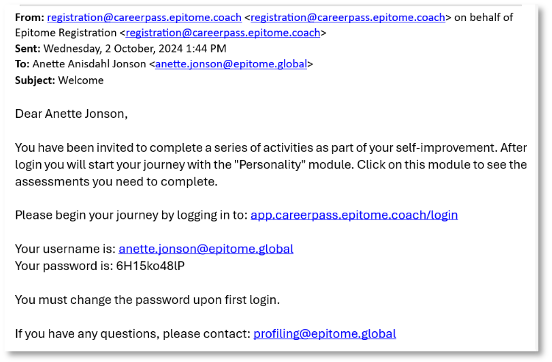
If you have been invited via email, please navigate to https://app.careerpass.epitome.coach/login and login with your email and password. Note: Sign in with Epitome Coach is a separate login flow not covered in this document.
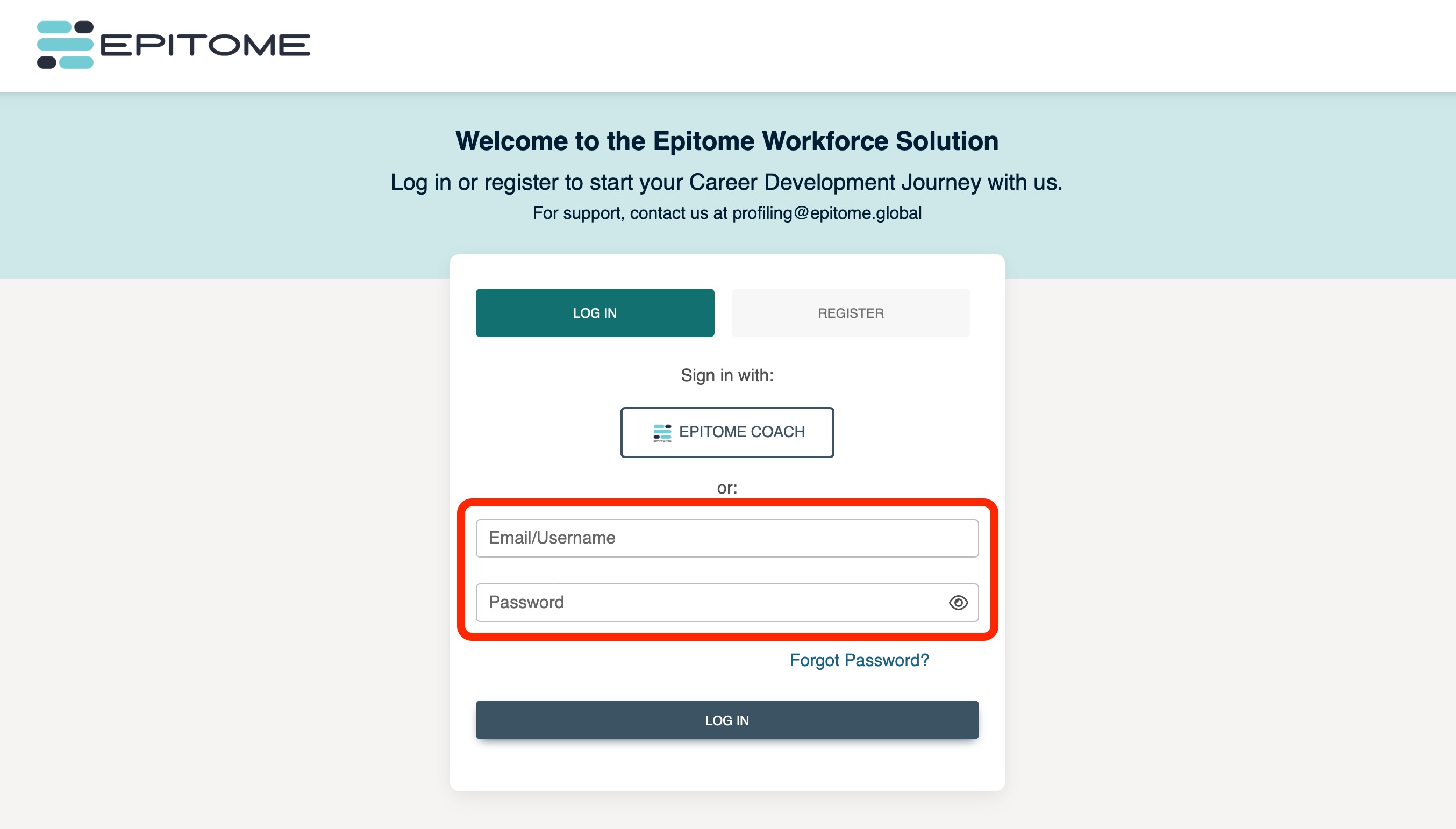
When you log in for the first time, you will be prompted to create a new password. Your new password must meet the following criteria: at least one number, one uppercase letter, one lowercase letter, and a minimum of 8 characters.
Step 2: Share Your Profile (if applicable)
Next, kindly share your profile with the default coach. This allows us to consolidate and better understand your profile information. Rest assured, the Epitome Workforce Solution is designed with your privacy as our priority. If you choose not to share your information, your profile data will remain entirely private and inaccessible to anyone else.
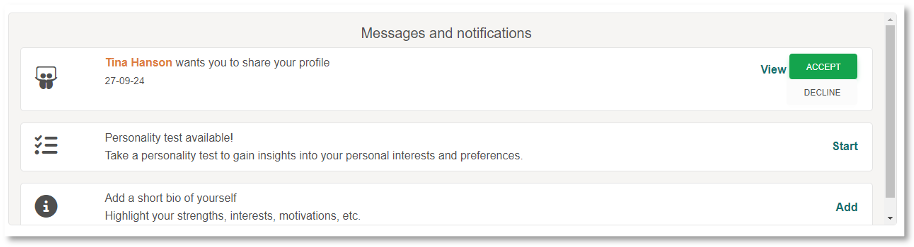
Step 3: Complete Your Catalyst Profile
Now, begin your journey of self-discovery by completing your Catalyst Profile!
In My Page, click on 'Personality'.
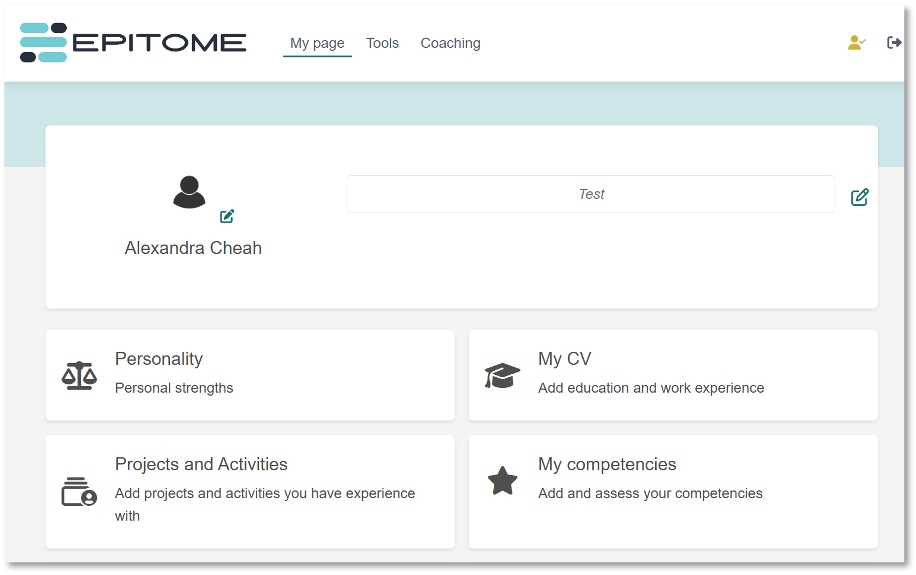
You will be directed to the page where you can start your Catalyst Profiling. Click on the 'Start Profiling' button to get started.
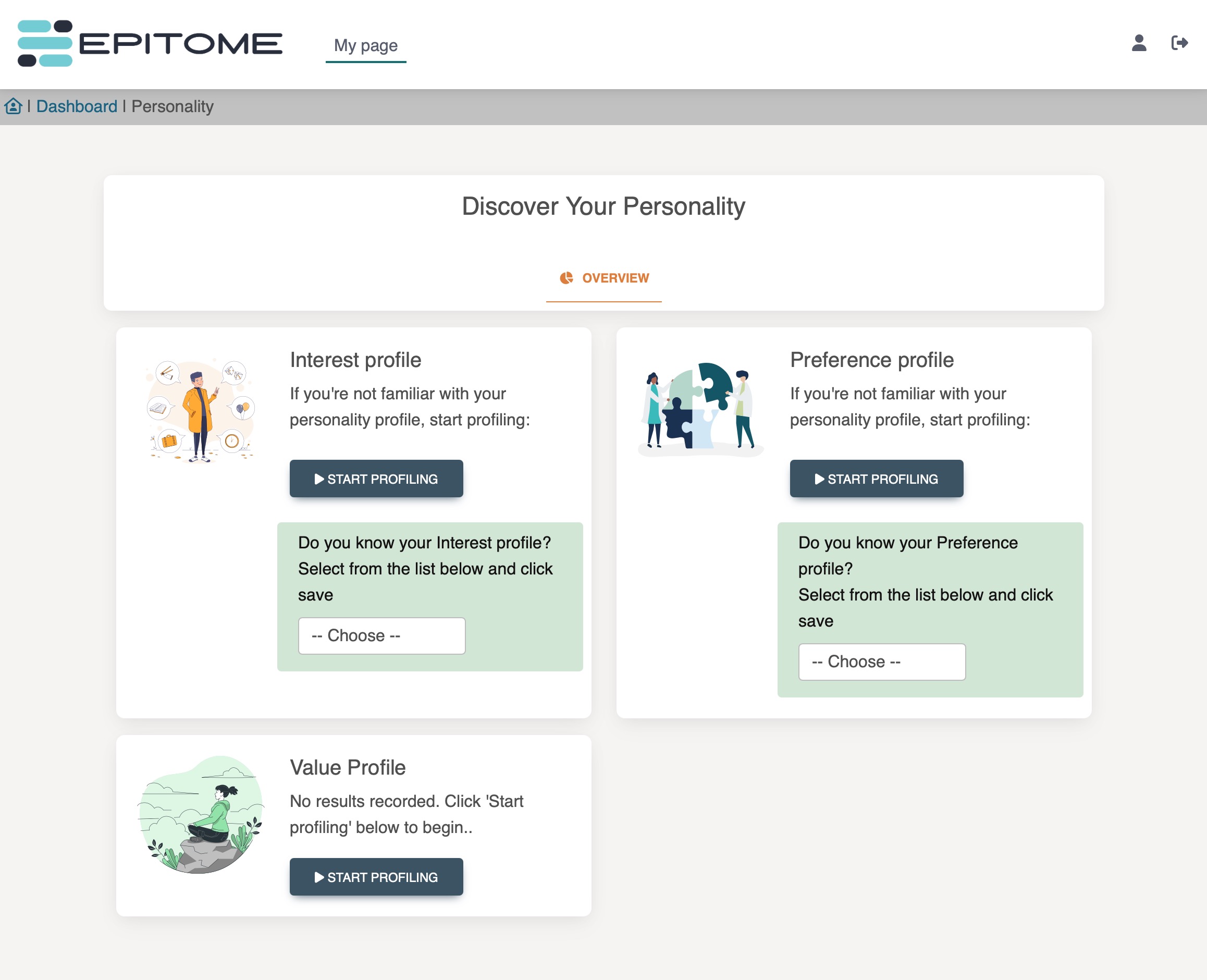
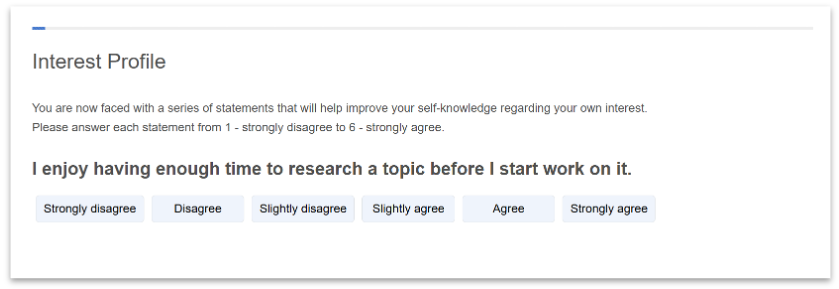
Select the options that best describes you. There are no right or wrong responses. Once completed, your results will be displayed.
To complete the remaining parts of the assessment, click the 'Back' button to return to the 'Personality' page.
For a full experience, we recommend completing all assessments. At a minimum, you are required to complete the Interest Profile and Preference Profile. When you complete your full profile, please feel free to browse the results and recommendations that are generated!
We’re thrilled to have you onboard and look forward to supporting you on your career journey. If you have any questions, don’t hesitate to reach out to our support team.
Was this article helpful?
That’s Great!
Thank you for your feedback
Sorry! We couldn't be helpful
Thank you for your feedback
Feedback sent
We appreciate your effort and will try to fix the article